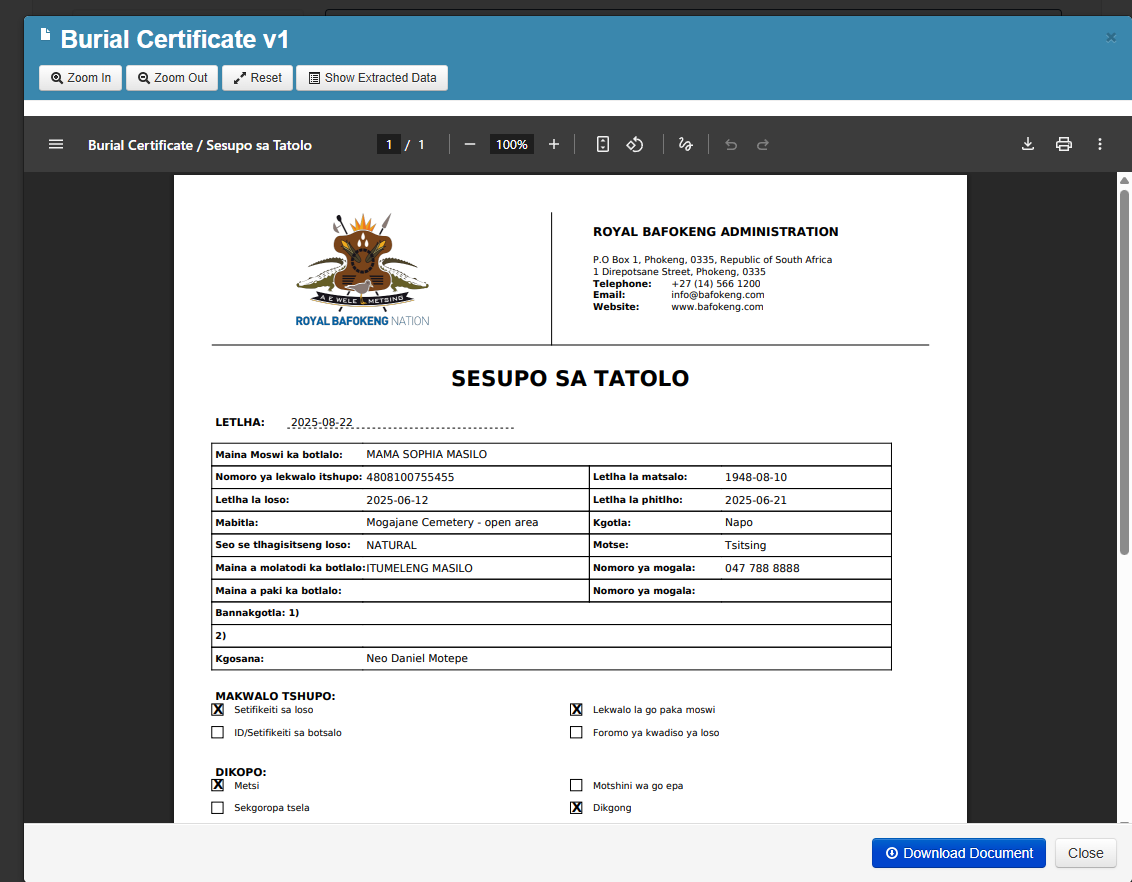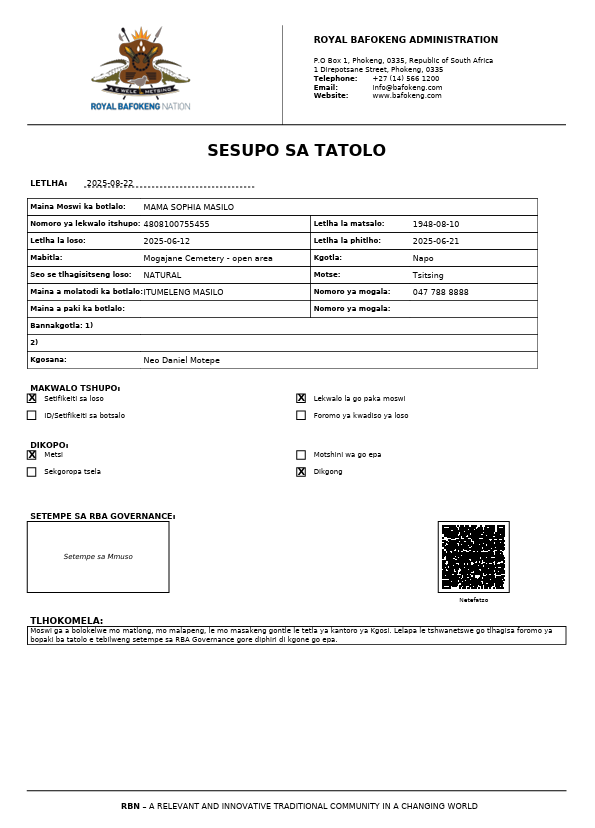
New Death Record
Create a Death Record:
Hover over the Death Registry Menu and click on the + Register New Death
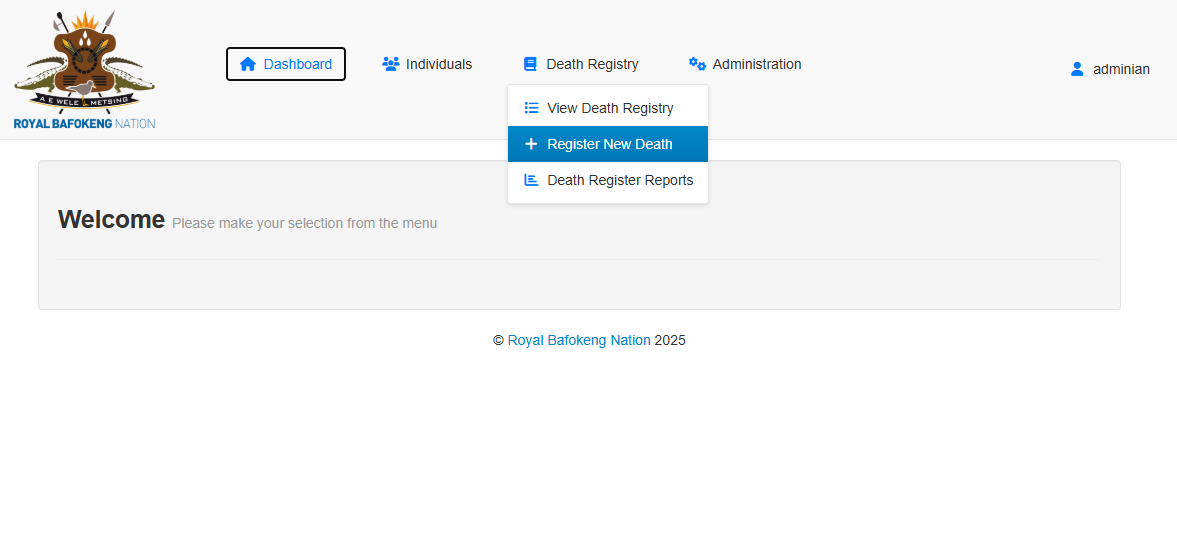
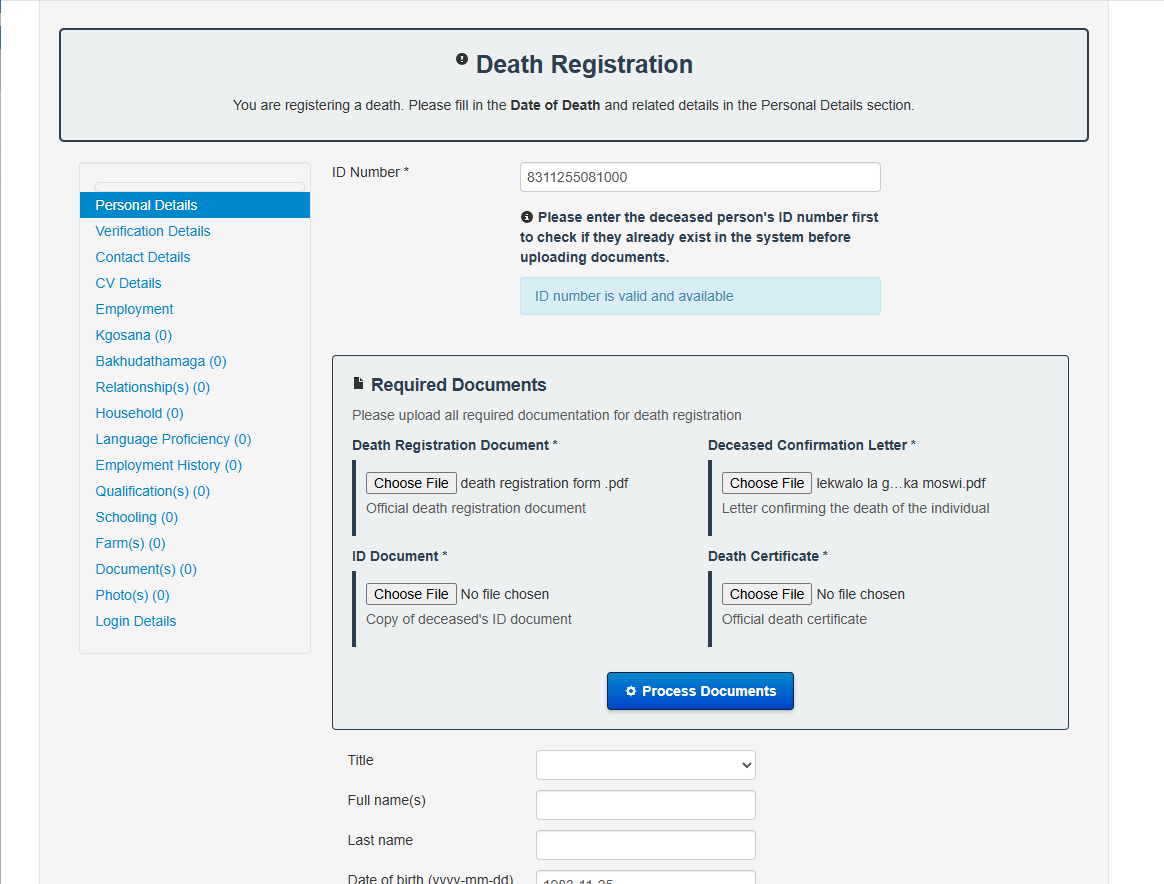
Enter the ID number you are wanting to capture form their documentation.
- It will let you know if the ID Number is Valid and Available (Not captured in the system already).
- Should it find the ID Number already exists a link will be provided to continue to the Individual and continue the process from there.
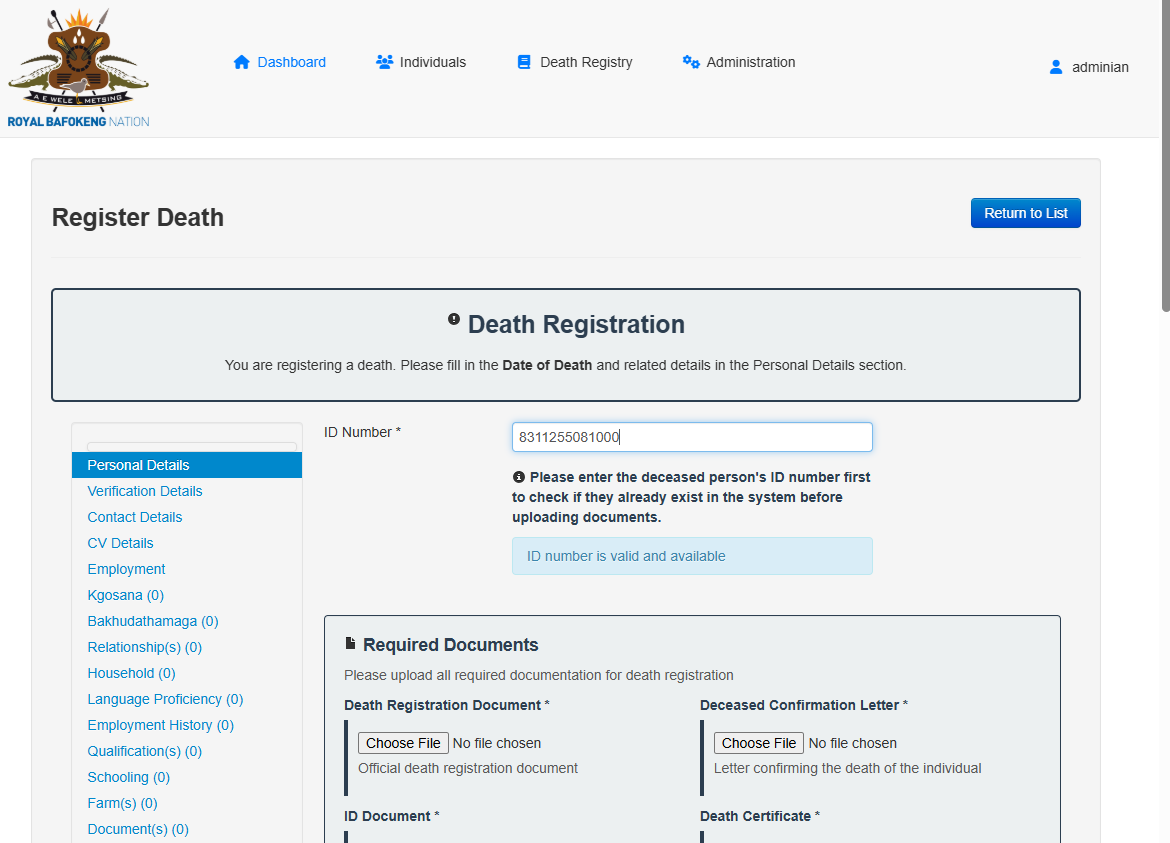
Continue to upload the required documents
- Death Registration Document
- Deceased Confirmation Letter
- ID Document
- Death Certificate
Once the documents have been selected click on Process Documents
Once the Process Document is clicked a layover screen will appear, it shows
- The documents you are processing in each tab on the lefthand side of the screen
- The Keys and Values it was able to extract from the document on the right.
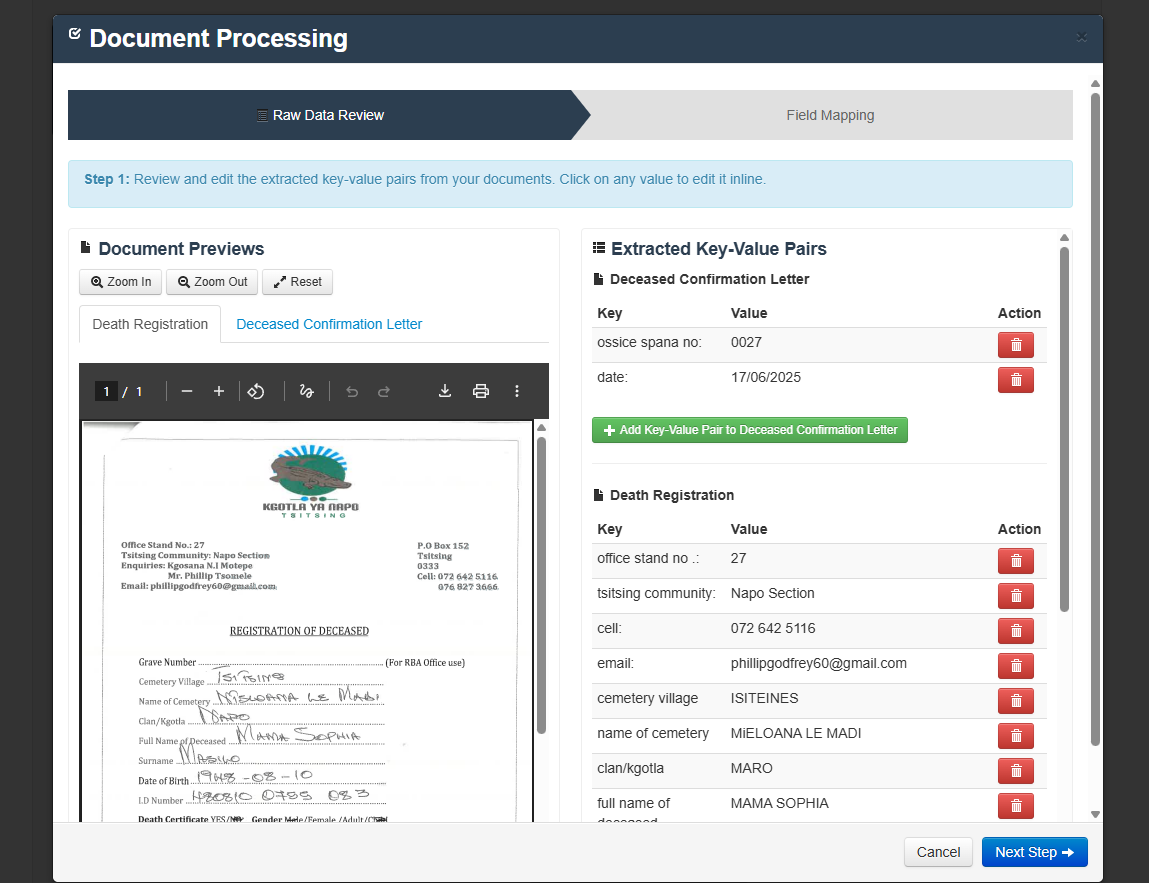
The Azure Ai and document processing does it's best to accurately extract the data, however there are more limitations to handwritten and scanned documents. The higher the quality of the document the better the extraction.
Edit the righthand side of the form as best as possible and ensure the correct information is captured. You may edit the Key as well as the Value by simply clicking on each item's key and value they will save automatically. If there are any key/values which you do not wish to keep you can simply delete it.
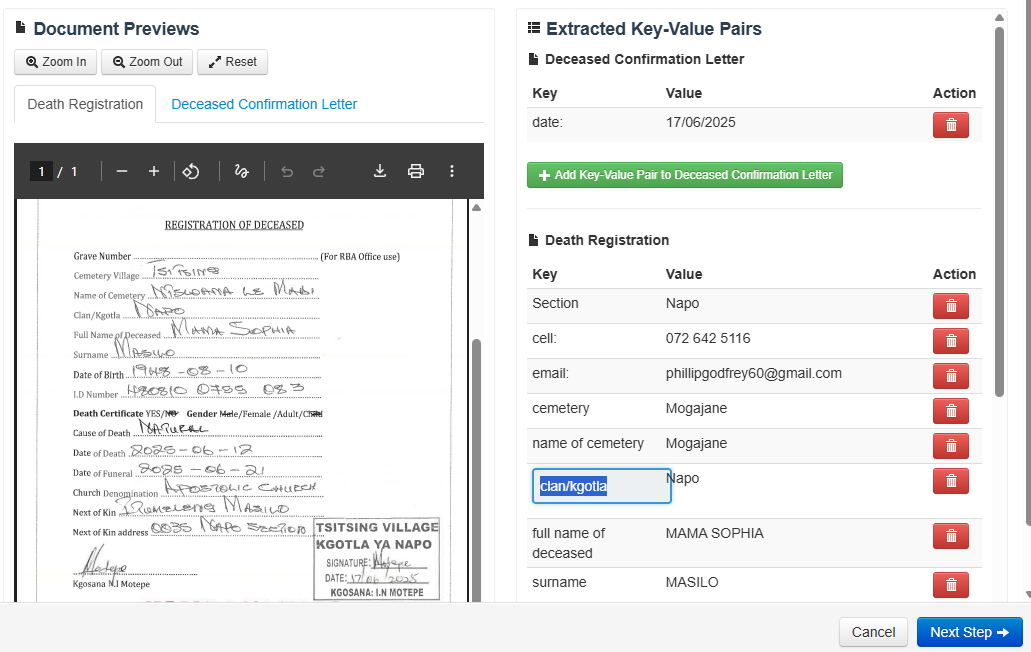
Once you are happy, click on the Next Step button.
Look and compare the documents on the lefthand side and go through the populated fields, if there multiple options from each of the documents you may select the correct option. If the correct option is not available you may override each field as needed.
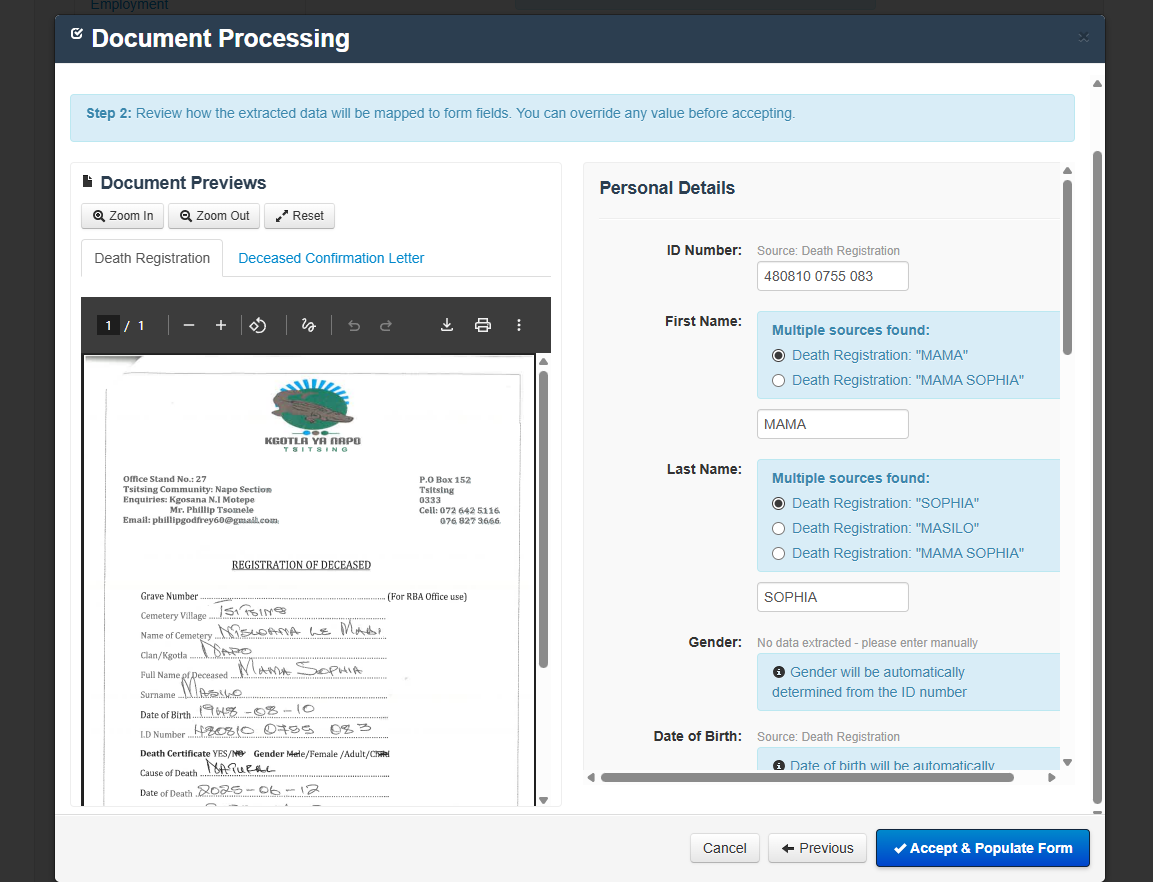
When you are happy with the populated fields click on "Accept and Populate Form button"
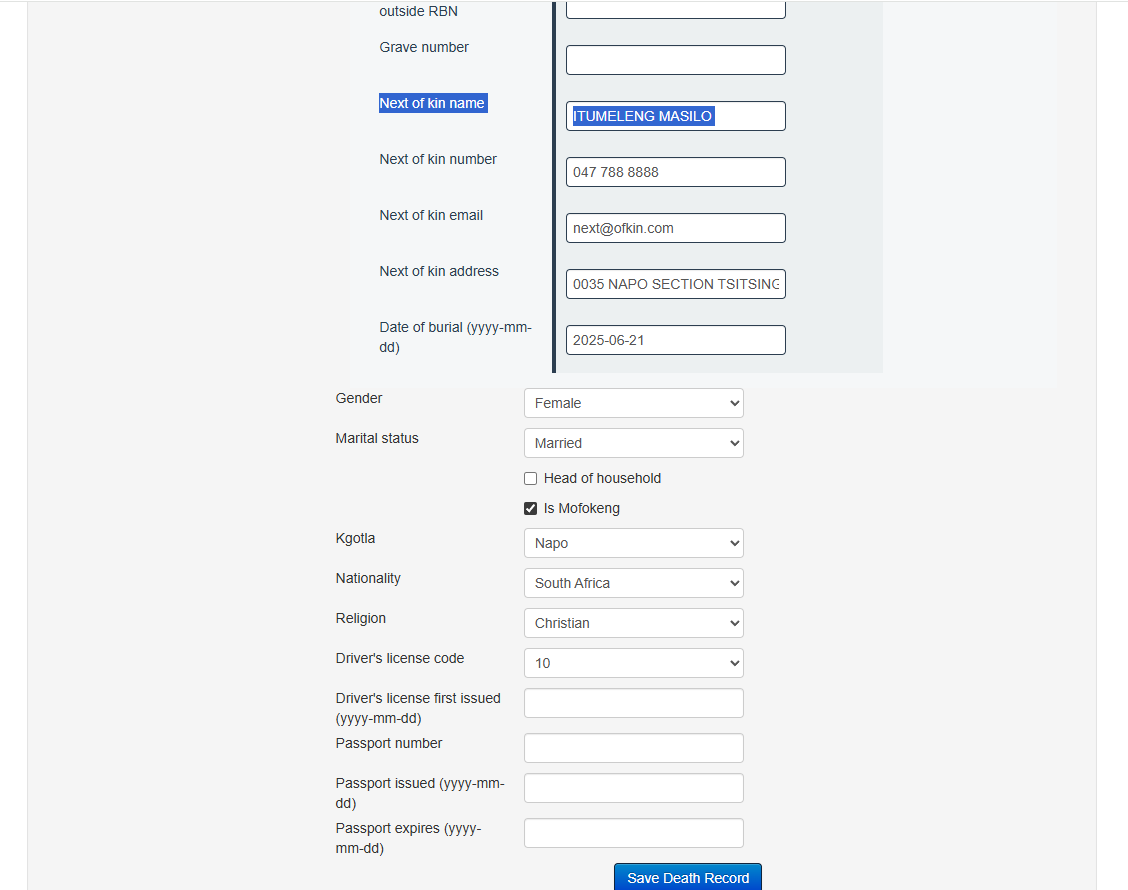
The fields will populate on the Individual form where applicable. Once all the applicable fields have been captured, click on the Save Death Record button.
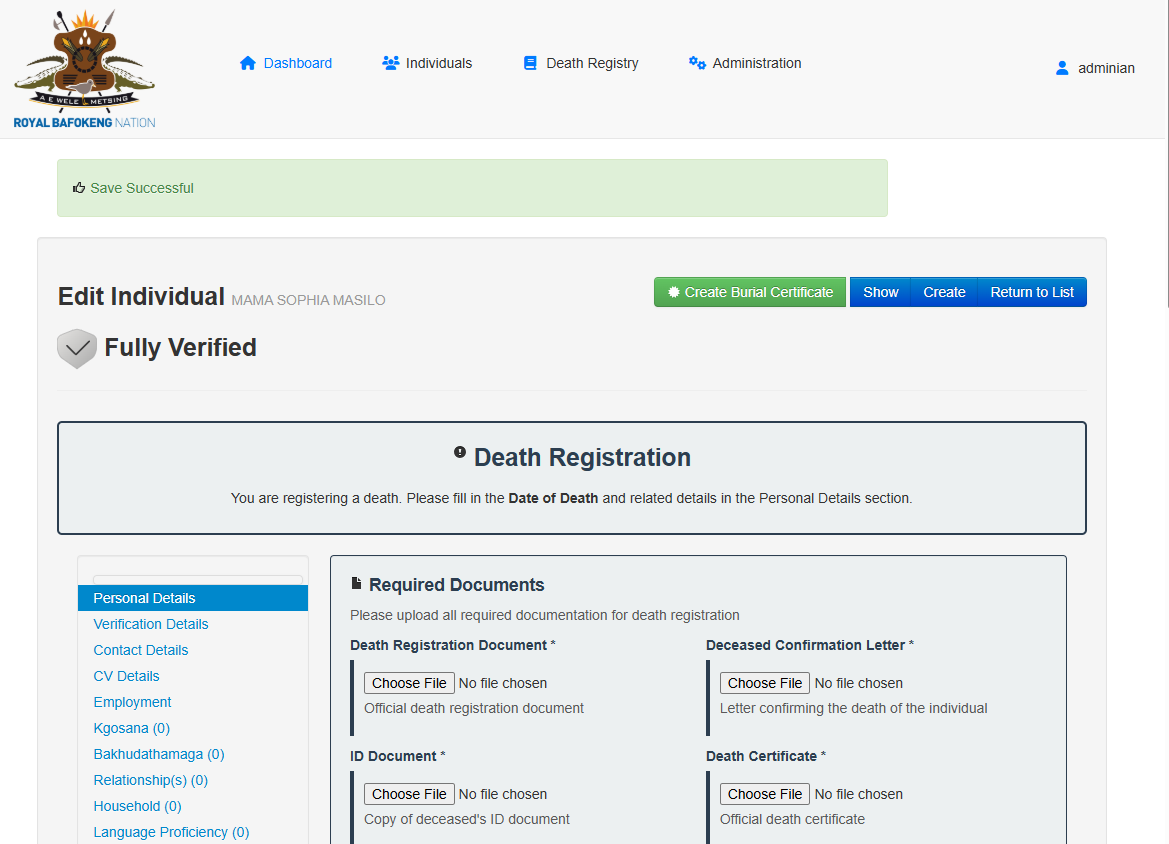
System will show you that the save is successful. And you will then be able to create the Burial Certificate to print for the Next of Kin.
Click on the Create Burial Certificate button.
A new Popup will open with the documents and the form to process
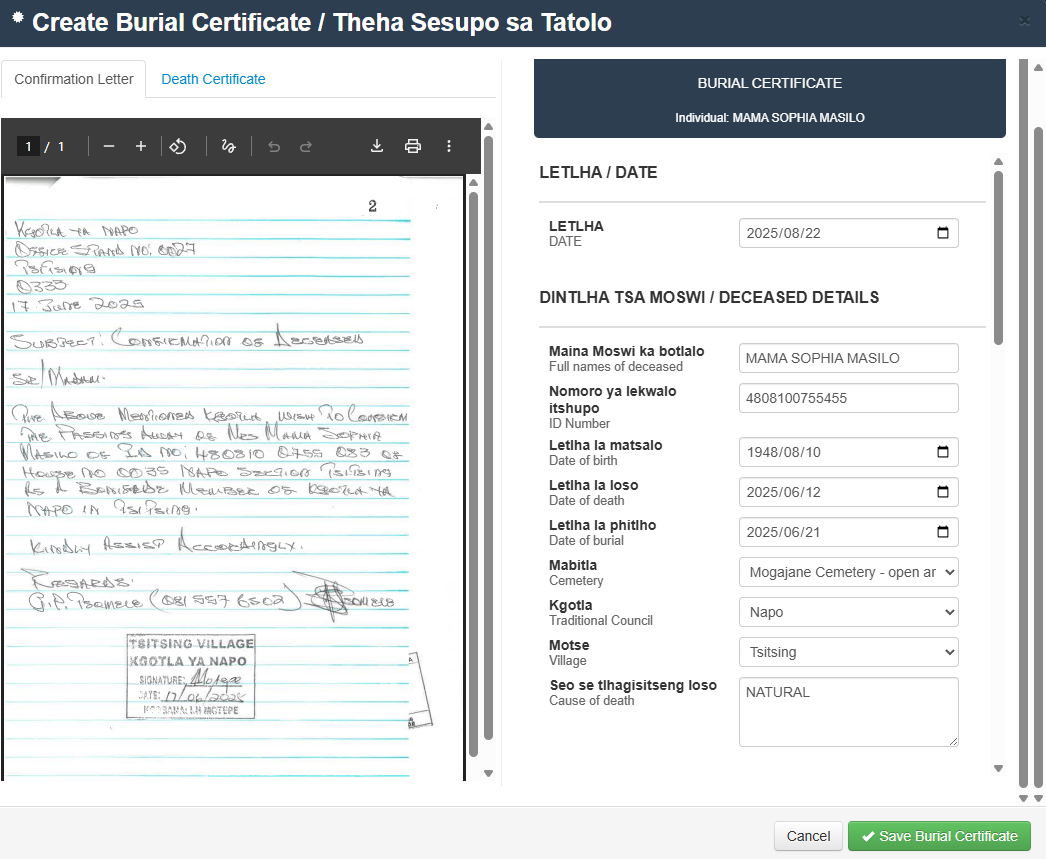
Populate the form fields double checking the documents for accuracy.
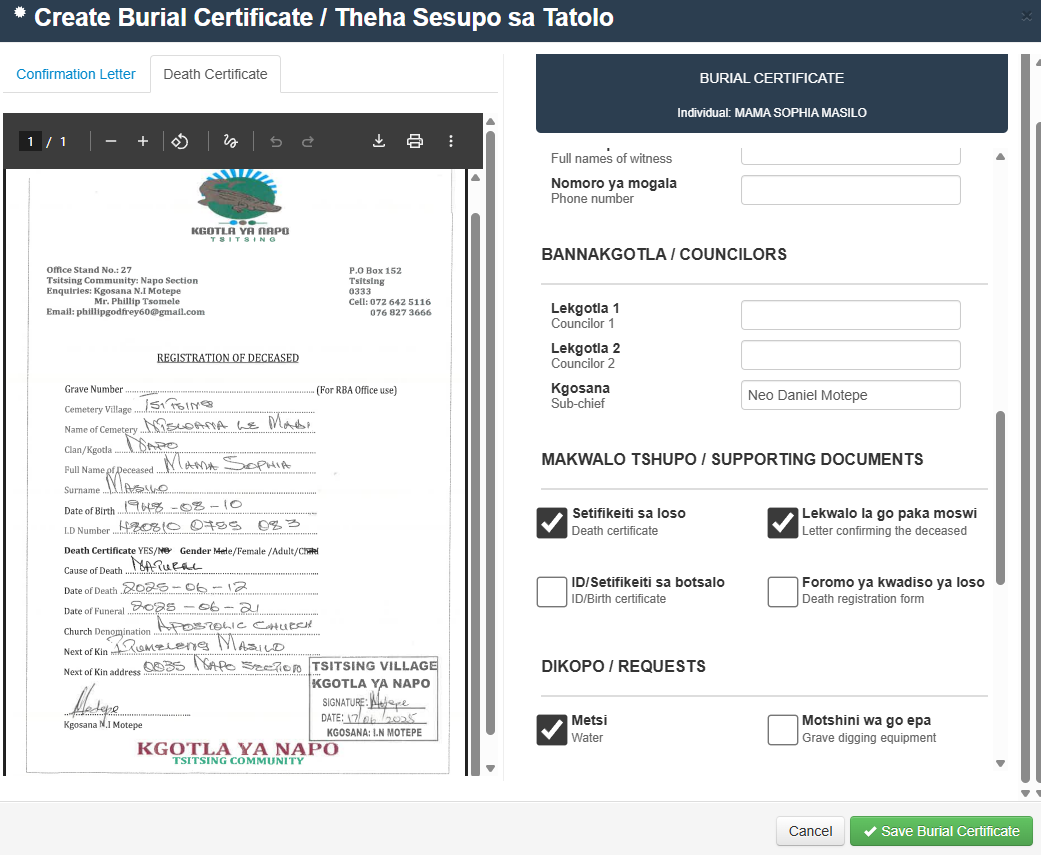
Click on Save Burial Certificate.Once the Burial Certificate form is saved the Burial Certificate will be available under the documents tab of the individual.
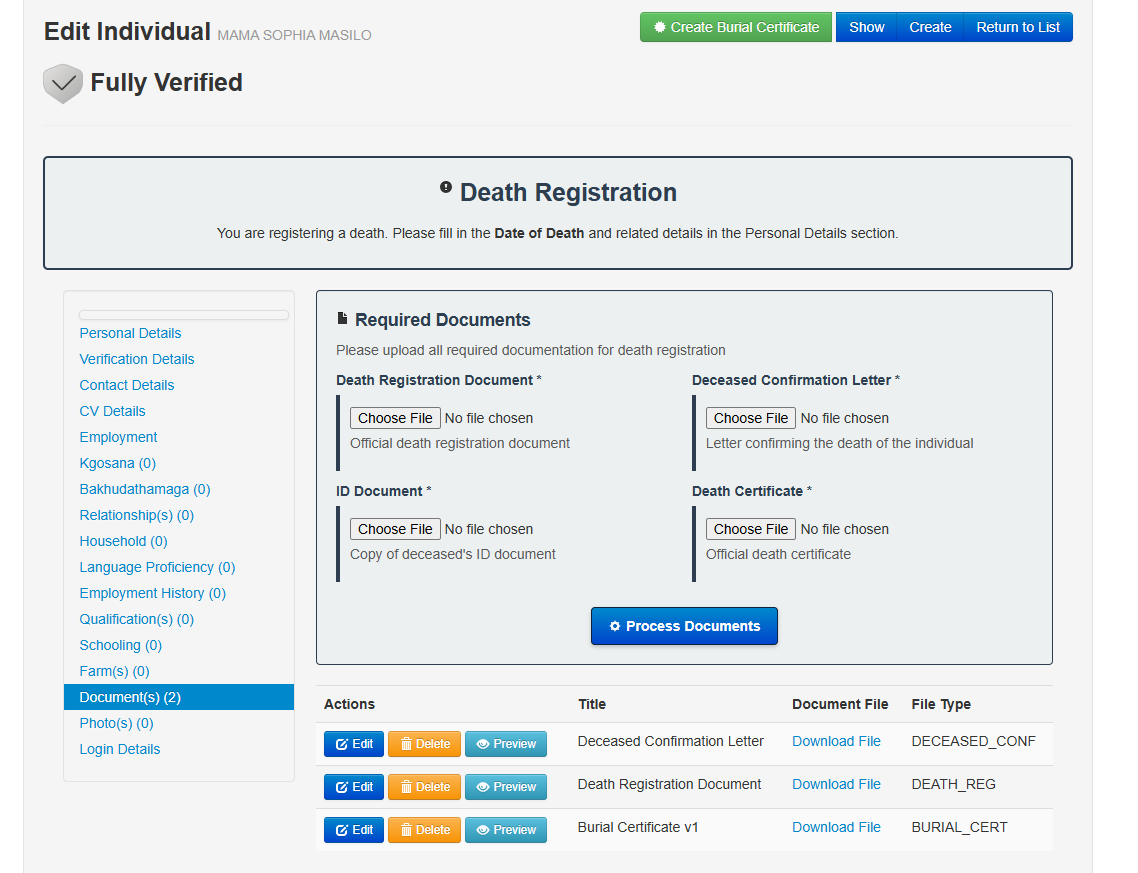
Preview/Download/Print the Burial certificate for you or next of Kin.